Download + Install
Download
MyTourbook can be downloaded from github.com older releases before 20.2 are still available at sourceforge.net
Supported Platforms
This application is based on Eclipse, the supported platforms are documented in 4.21 target environments.
64 Bit
The 64 bit version of Java 11+ must be used, otherwise it will not work.
Installation
 |
Linux |
 |
Windows |
 |
Mac OSX |
|
Linux |
- The application requires Java 11+ which can be downloaded from Adoptium see also the Linux JRE installation instructions
- Download the Linux archive mytourbook-x.x.x-linux-64.zip from here and extract it to the location where it should be installed
- The file mytourbook is the application and the file attribute must be set to be executable
To execute MyTourbook
- Open a terminal window
- Move to your MyTourbook installation directory e.g.:
cd ~/mytourbook_12.1.0 - Run MyTourbook:
./mytourbook
|
Windows |
The application requires Java 11+ which can be downloaded from Adoptium see also the Windows JRE installation instructions
Windows has 2 download alternatives (since 20.12), at the end, both have the same code and are using the same data folder.
1. Installation Program - mytourbook-x.x.x-win-64-setup.exe
- Download the Windows installation program
- Run the installer, Win10 may display the User Account Control confirmation dialog

Pros
- Easy to install by replacing the old version automatically
This setup program is just a wrapper for the zip archive file but why is it smaller than the zip file? The installation build tool is compressing the files in the zip archive a little bit better.
2. Zip Archive - mytourbook-x.x.x-win-64.zip
- Delete the old MyTourbook instance, e.g. C:\BIN\mytourbook,
saved tours are located in the data folder - Download the zip file
- Extract all zip files into a folder, e.g. C:\BIN\mytourbook by keeping the folder structure
- Run the app with e.g. C:\BIN\mytourbook\mytourbook.exe
Pros
- Can be copied into any folder, e.g. C:\BIN\mytourbook
- Until Win10 2004 there was no User Account Control confirmation dialog when running mytourbook.exe, only when the setup program is run
|
Mac OS X |
When you are trying to install and start the non-supported MacOS version, MacOS reports an error and stops the start. This error is due to missing signature and a security feature of the OS.
You can overwrite this behaviour by the following command line command:
xattr -cr /Applications/<name of="" mytourbook="">.app</name>
e.g.
xattr -cr /Applications/MyTourbook.app
This info is from Martin Klimke
Mac OS X History
MyTourbook 11.3 was successfully tested on Mac OS X 10.7 Lion.
Mac OS X Support is discontinued since version 13.11
Any previous versions of MyTourbook did run properly with OS X 10.6 and Java 1.6.
MyTourbook 13.11 do not run properly with OS X 10.9 and Java 1.7 but before it worked at all, these problems needed to be fixed.
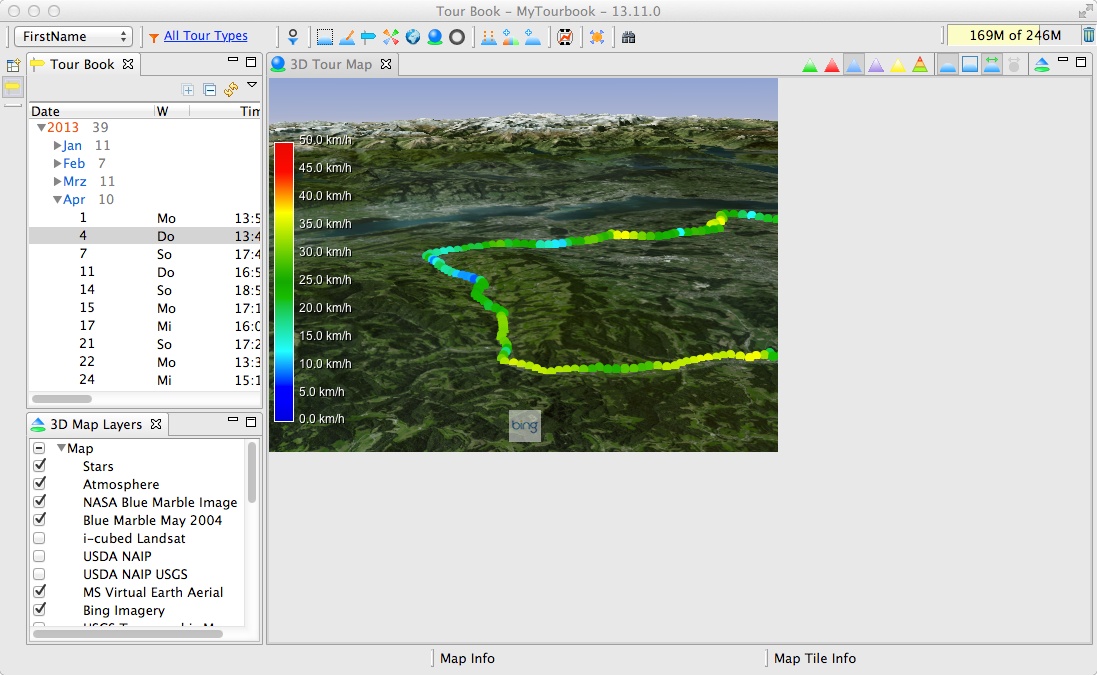
3D map did not run with Java 1.7
This problem occured:
org.eclipse.swt.SWTError: Not implemented (java.lang.ClassNotFoundException: apple.awt.CEmbeddedFrame)
which could be fixed with
SWT_AWT.embeddedFrameClass = "sun.lwawt.macosx.CViewEmbeddedFrame";
which caused this error:
javax.media.opengl.GLException: java.lang.NoClassDefFoundError: apple/awt/ComponentModel
upgrade from World Wind SDK 1.5 to 2.0 revision 1721 fixed this problem.
PackageMaker issue
OS X 10.6 PackageMaker did not run with OS X 10.9, after installing a new version it was running.
When running the MyTourbook installer which is created with the new PackageMaker, it do not install the app in the Application folder. The installer displays sucessfull installation but the Application folder is empty. Drag&drop of MyTourbook.app into the Application folder could be done and the app is also running but it has the following issues (these issues occure also when the app is not running within the Application folder).
Known issues when running MyTourbook 13.11 on OS X 10.9 (Mavericks)
- 3D map can be displayed partly or not
- 3D map hides quick views
- Some user settings are not saved
- The horizontal photo gallerie, which is displayed at the top of the fullscreen, is positioned in der vertical center
- Tooltips/Dialogs are not opened with the mouse over event
There can still be other issues because only a quick and not a full test was done. It took many hours to get the first issues fixed and tested but the remaining issues are not yet fixed.
No problem with Linux
MyTourbook is being developed with Win7, the only adjustment which was needed to run version 13.11 on Linux (Ubuntu 12.04) was one UI layout adjustment, this was fixed in a few minutes. There was no need to spend many hours to get it running, compared with OS X. Why should I spend many more hours with the hope to get the problems fixed or not?
Download 13.11 for OS X 10.9
MyTourbook 13.11 for OS X 10.9 can be downloaded from here but it contains all problems which are described above. The downloaded app cannot be installed with an installer, just open the zip archive and run the included app.
This is the definitive End of Mac OS Support
10. March 2019
I just wanted to test the Mac OS problems which occured in the last few days. After a few months of not using my MacBook, I discovered that the case was not laying flat on the table. I opened the case and saw that the accu was blown up, this has also bendet the closed cased.
And for shure, I have not tried to start it, I moved it outside of the building.
My MacBook Pro is now history which I had purchased on 18 August 2010.


This page is updated for version 21.3